


When you're managing 50, 100, or 200+ active jobs, small labeling issues turn into big operational slowdowns.
Multiple insurance claims at the same address. Phase 1 and Phase 2 installs. Warranty work layered onto completed projects.
If every job is labeled by address alone, your team wastes time searching, double-checking, and opening the wrong record.
That friction adds up.
Custom Job names give every job a clear identity — so your team can find what they need instantly and stay organized as you scale.
What’s New
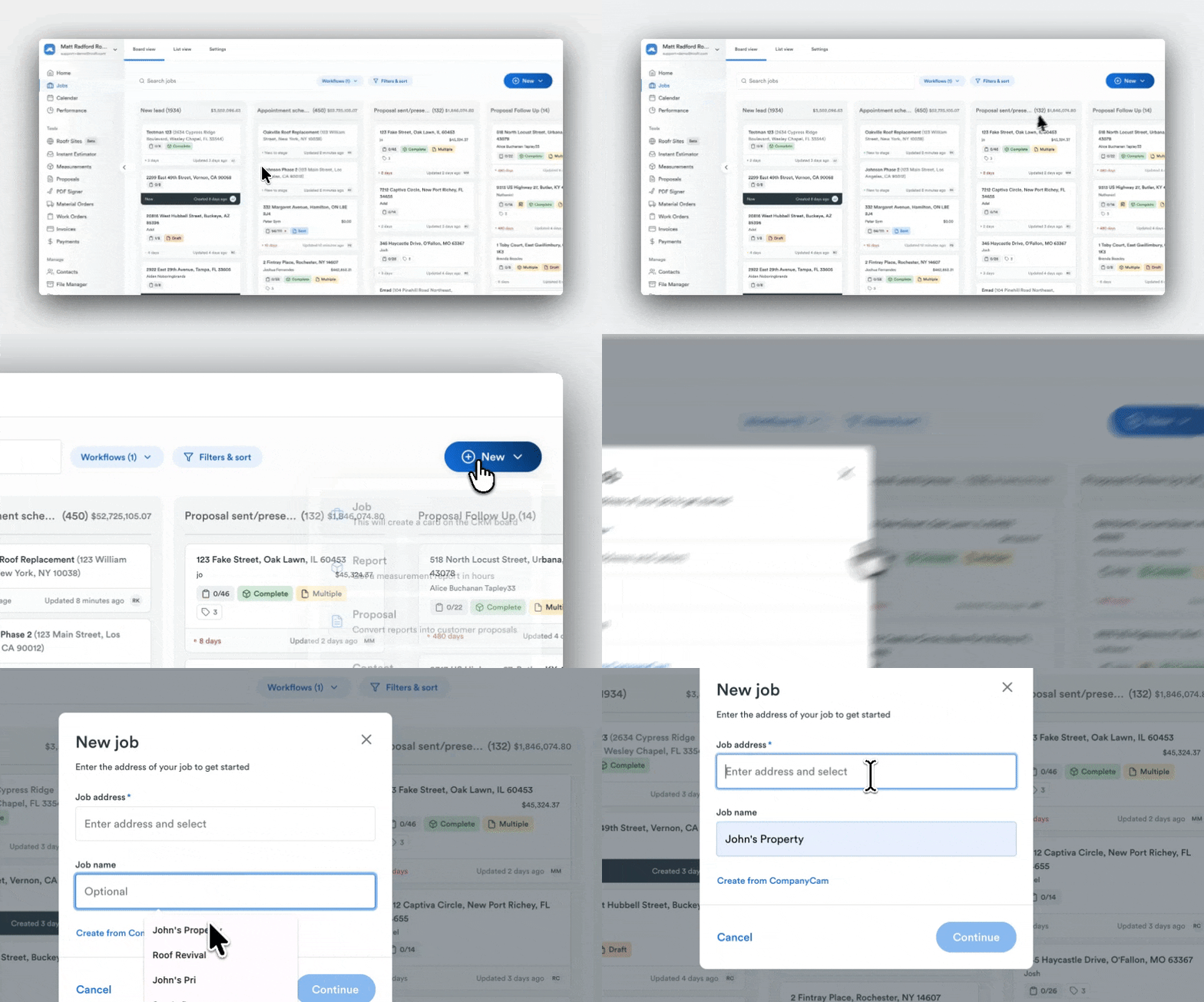
You can now add a custom job name to any job in Roofr, in addition to the property address.
For example:
- “Smith Insurance Claim”
- “Oakville Roof Replacement”
- “Johnson Phase 2”
- “Maple St Warranty Repair”
That job name is visible:
- On job cards
- On the job board
- Across proposals, work orders, material orders, and PDF Signer
Why that matters:
Your jobs are no longer defined only by location. They’re labeled in a way that reflects how your business actually operates.
How It Works
There are two key improvements:
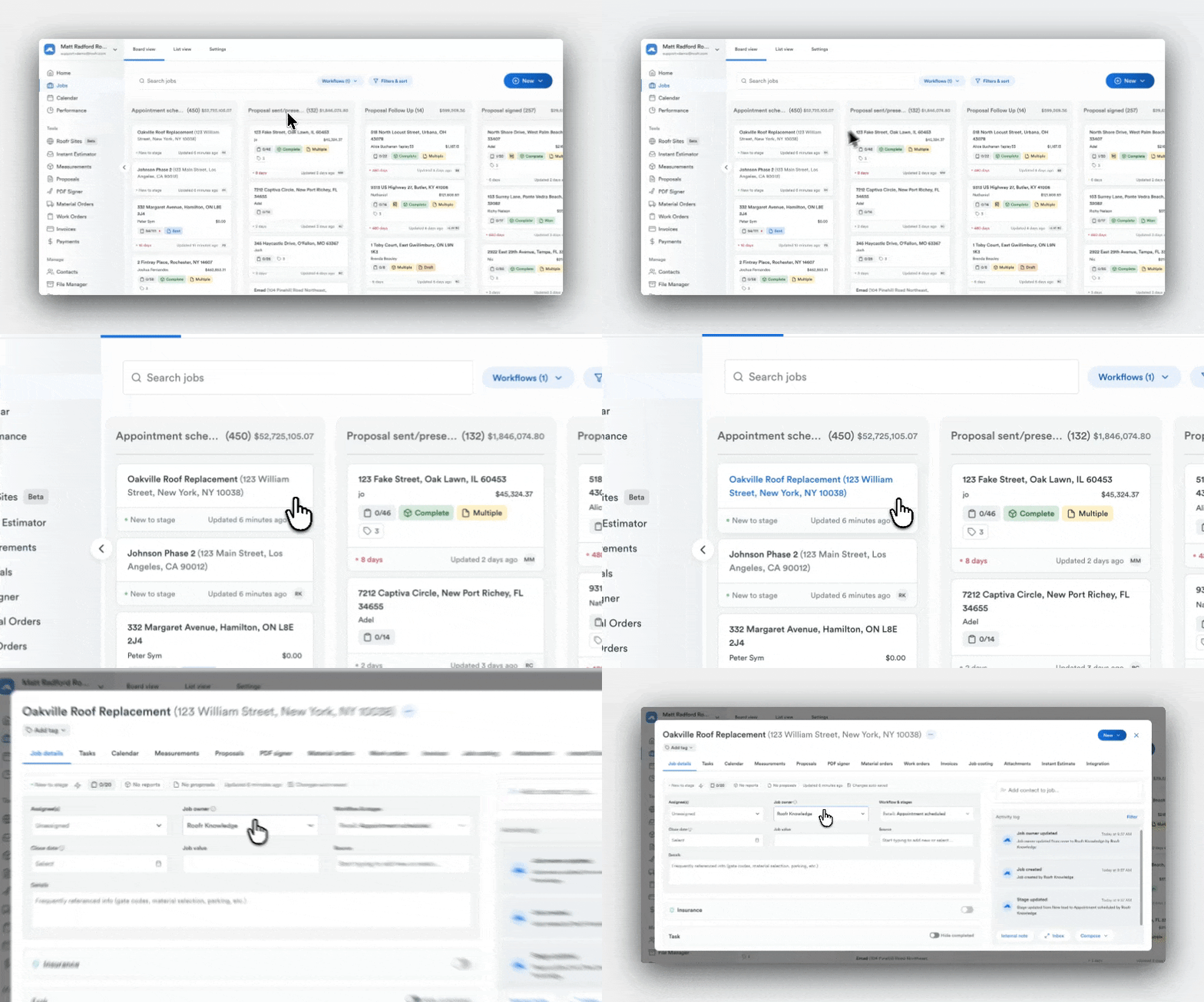
1. Add a custom job name
Inside any job, simply enter a descriptive name that makes sense for your workflow.
Whether you’re labeling by job type, phase, claim, or internal process, the name travels with the job everywhere it appears.
That means no more guessing which “123 Main St” is the insurance claim versus the retail replacement.
2. Search by job name
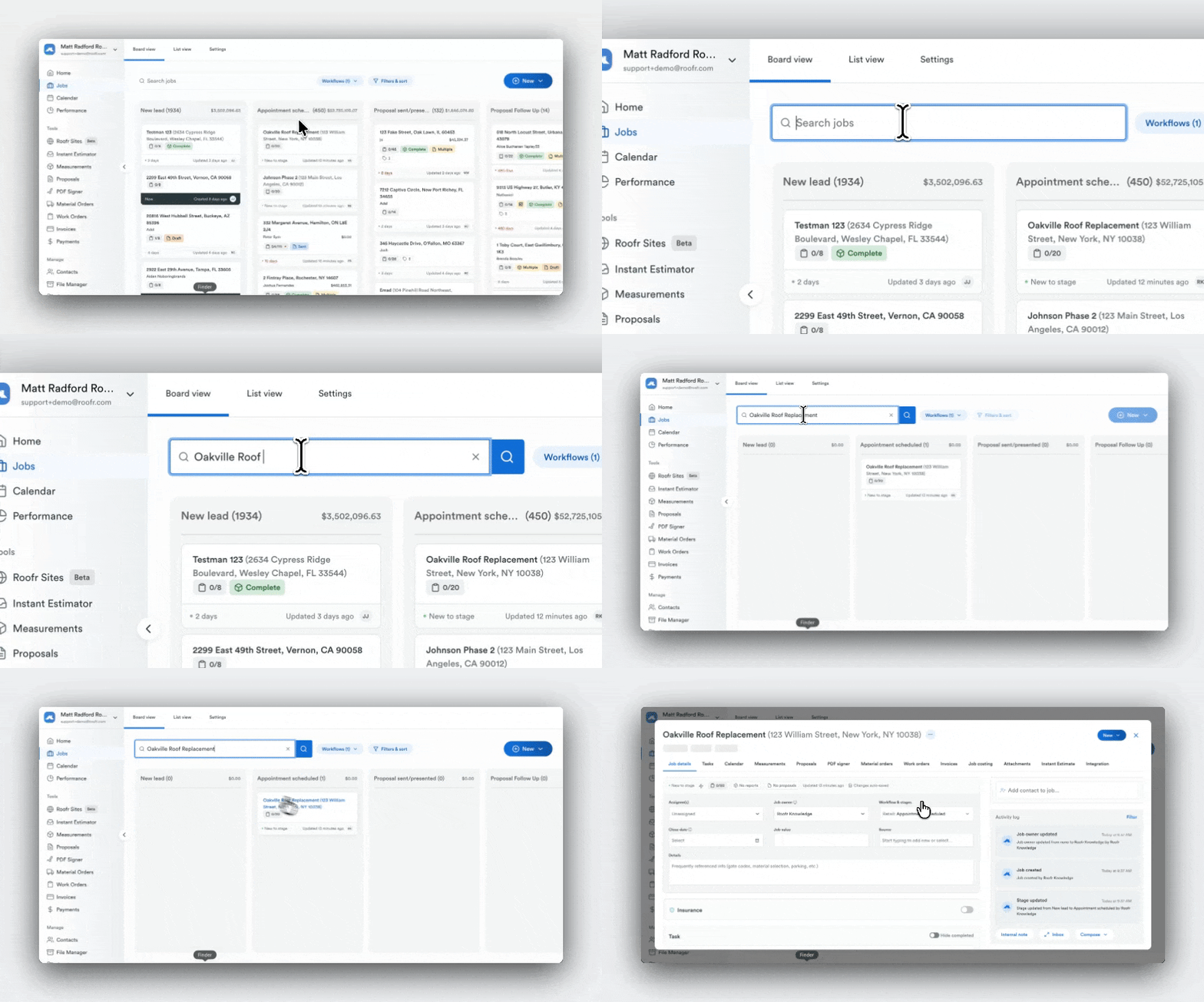
Roofr’s search bar now indexes job names in addition to addresses.
You can search:
- “Insurance”
- “Phase 2”
- “Warranty”
- A customer name tied to a job label
And pull up the exact job instantly.
Less digging. Less confusion. Faster navigation across your workflow.
Why It Matters
This is a small update with big operational impact.
Reduced admin time — Find the right job in seconds instead of clicking through duplicates
Scale without chaos — Keep your CRM clean and organized as job volume grows
Fewer internal mistakes — Prevent teams from opening or updating the wrong job record
True platform consistency — The job name follows the job across proposals, orders, and signatures
When your system is clear, your team moves faster.
Who It’s For
Custom Job Names are especially valuable for:
- Growing contractors managing high job volume
- Teams running insurance-heavy workflows
- Office managers coordinating multiple crews
- Owners building standardized internal processes
Smaller teams will appreciate the clarity.
Scaling teams will feel the efficiency immediately.
Use Cases
- Separate multiple insurance claims at the same property
- Label warranty work clearly without confusion
- Track multi-phase projects with confidence
- Identify rental or multi-unit jobs instantly
- Standardize naming conventions across sales and production
Start Using Custom Job Names Today
Start naming your jobs in a way that reflects how your business actually runs — and make finding the right job effortless.
Need help getting started? Reach out to your account manager to learn more.