


🚧 New in Roofr: A Complete Rebuild of User Permissions
For a long time, Roofr gave you two roles: Manager and Member. One key that opened every door, or one that opened almost none.
That worked when it was you and a couple of guys. It stopped working the moment you hired a sales team, a production manager, and a field crew who all needed different things out of the same system.
So we rebuilt permissions from the ground up to give you real control over who sees what.
What's New
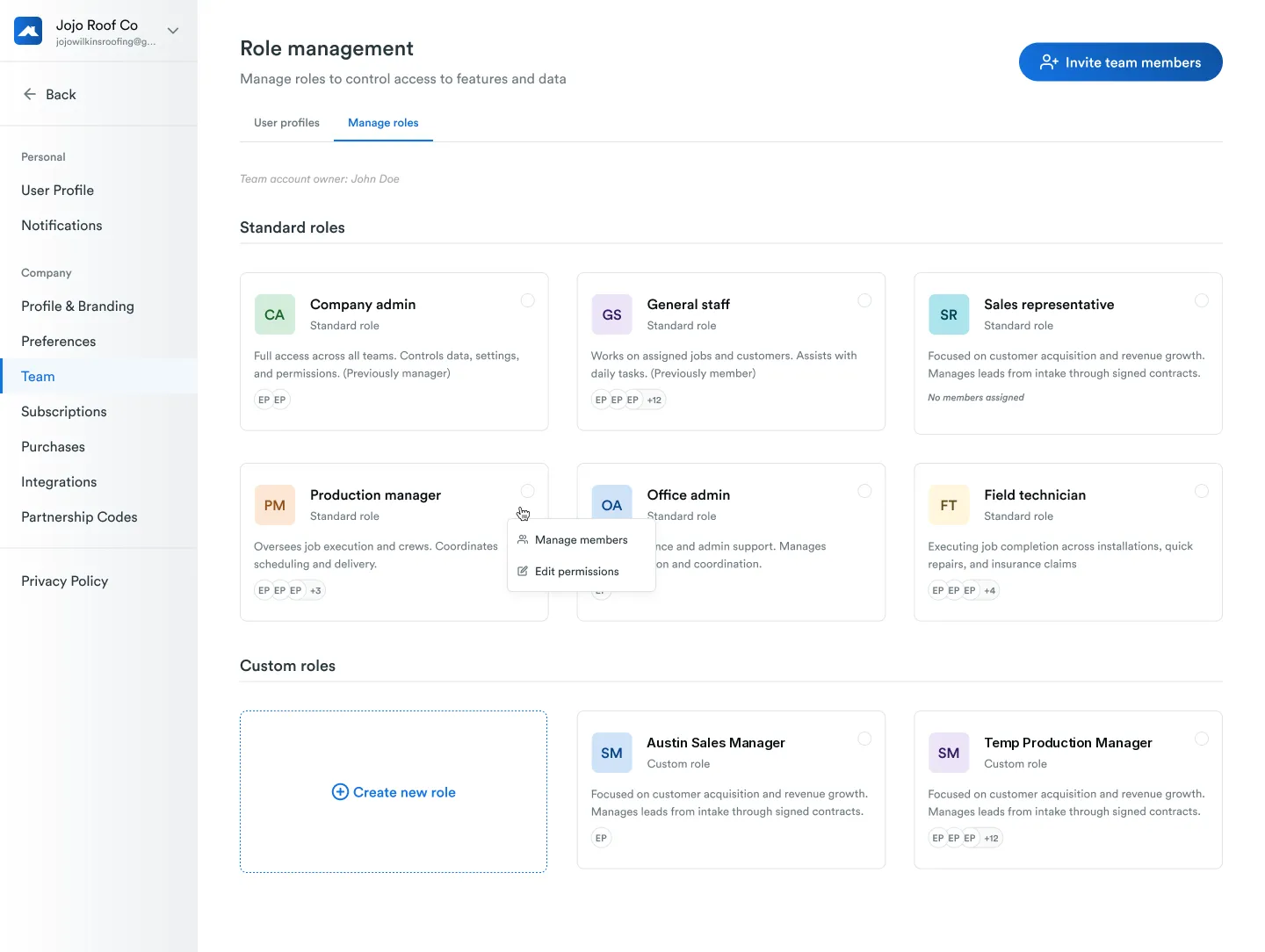
Six standard roles, ready out of the box.
Two existing roles got clearer names:
- Manager → Company Admin
- Member → General Staff
And four new roles joined them:
- Sales Representative: leads, estimates, customer communication
- Production Manager: jobs, schedules, crews
- Office Admin: admin tasks, scheduling, reporting
- Field Technician: assigned jobs, checklists, photo uploads
Each one ships with pre-configured permissions built around how roofing companies actually operate. Assign a role, send the invite, done.
Custom roles, for teams that need more.
If the six standard roles don't map to your org, build your own. Name it, set the permissions feature by feature, assign your team. No limit on how many you create.
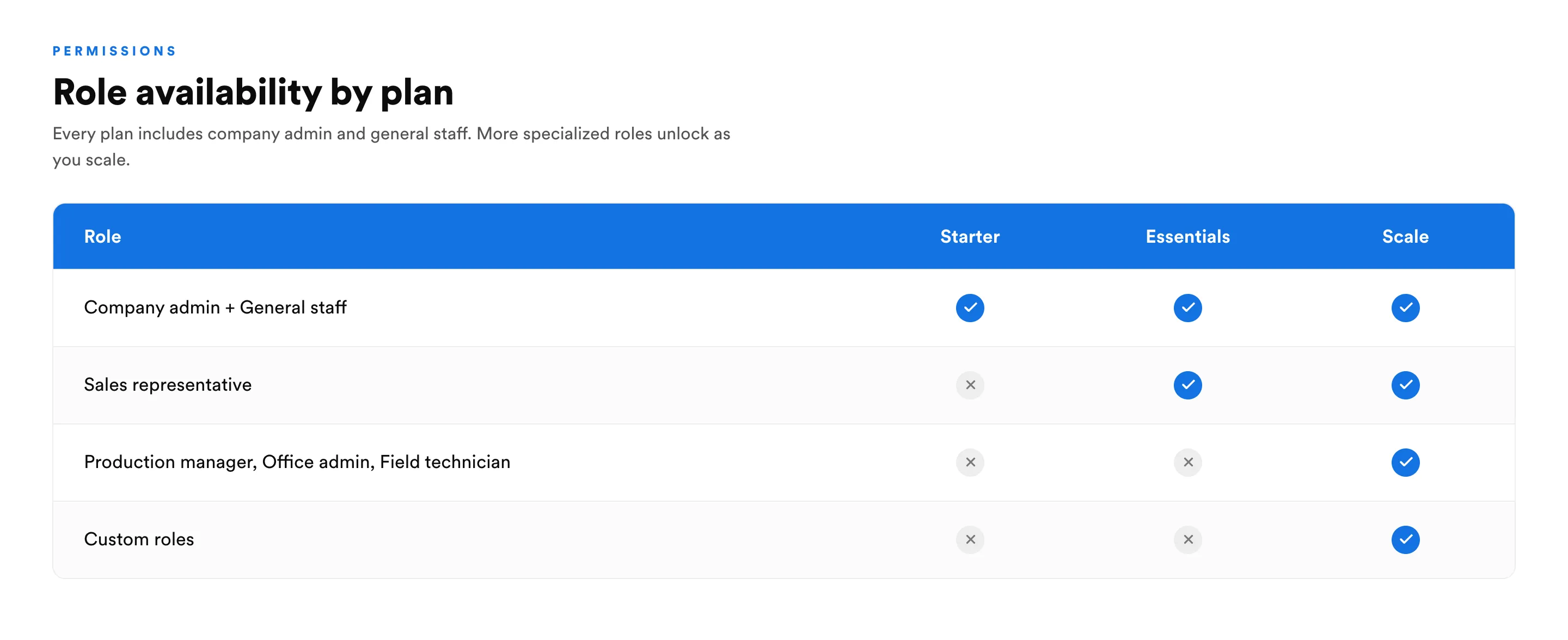
Custom roles are available on the Scale plan.
How It Works
Assigning a standard role: Select the role when you send an invite, or update it from a team member's profile. Default permissions apply automatically, and you can fine-tune individual controls after.
Building a custom roleGo to Manage Team, hit "Create New Role," name it, add a description, and start assigning controls. Save, then use "Manage Members" to add people.
Changing your mind: Update any role's permissions at any time. Changes apply to everyone assigned to that role instantly.
Deleting a custom role: A role can only be deleted once no one is assigned to it. Move those team members to a different role first, then delete
Why It Matters
🔒 Sensitive data stays where it belongs: Field crews don't see your pipeline. Sales reps don't see job costs. Set it once and stop worrying about it.
✅ The shared-login problem goes away: One account passed around between five people creates ownership chaos, security risk, and awkward conversations when someone leaves. Give everyone their own access that matches their job.
🎯 Standard roles for speed, custom roles for precision: Most teams can assign a preset and move on. Teams with a "Project Coordinator" or an "Insurance Specialist" can build exactly what they need.
🚀 Onboarding gets faster: New hire? Pick a role. Permissions are already set. No manual configuration every single time.
Who It's For
- Company owners running teams across sales, production, field, and admin
- Operations managers who need real boundaries between departments
- Sales managers who want reps focused on pipeline, not poking around in margins
- Growing teams who've outgrown a two-role system
- Anyone who's ever shared a login (you know who you are)
See It in Action
- A new field tech joins. Assign Field Technician. They get their jobs and photo uploads, and nothing else.
- Your estimating team is separate from sales. Build two custom roles with different pipeline and pricing visibility.
- You promote someone to office admin. Update their role in one click and permissions adjust automatically.
- Three insurance coordinators need identical access. Create one custom role and assign all three at once.
The Bottom Line
Your permissions should reflect how your company actually runs, not the other way around.
It's live now. Head to Manage roles to get started.
Need help mapping your team structure to the right roles? Reach out to your account manager or check the Help Center.
