


🚧 New in Roofr: Work Orders & Crews
Sending your crews the right job details shouldn’t require multiple tools, texts, or last-minute clarifications. But for many roofing businesses, work orders are still rebuilt from scratch for every job, creating room for missed details, delays, and confusion on install day.
Work orders in Roofr centralizes job instructions, crew details, and attachments, so installs start with clarity, not questions.
What’s New
You can now create, send, and track work orders directly from your jobs in Roofr.
Instead of retyping instructions or chasing down crew info, work orders pull directly from proposals, material orders, and job data - so crews get exactly what they need, every time.
You can also manage all crew contacts and certifications in one place.
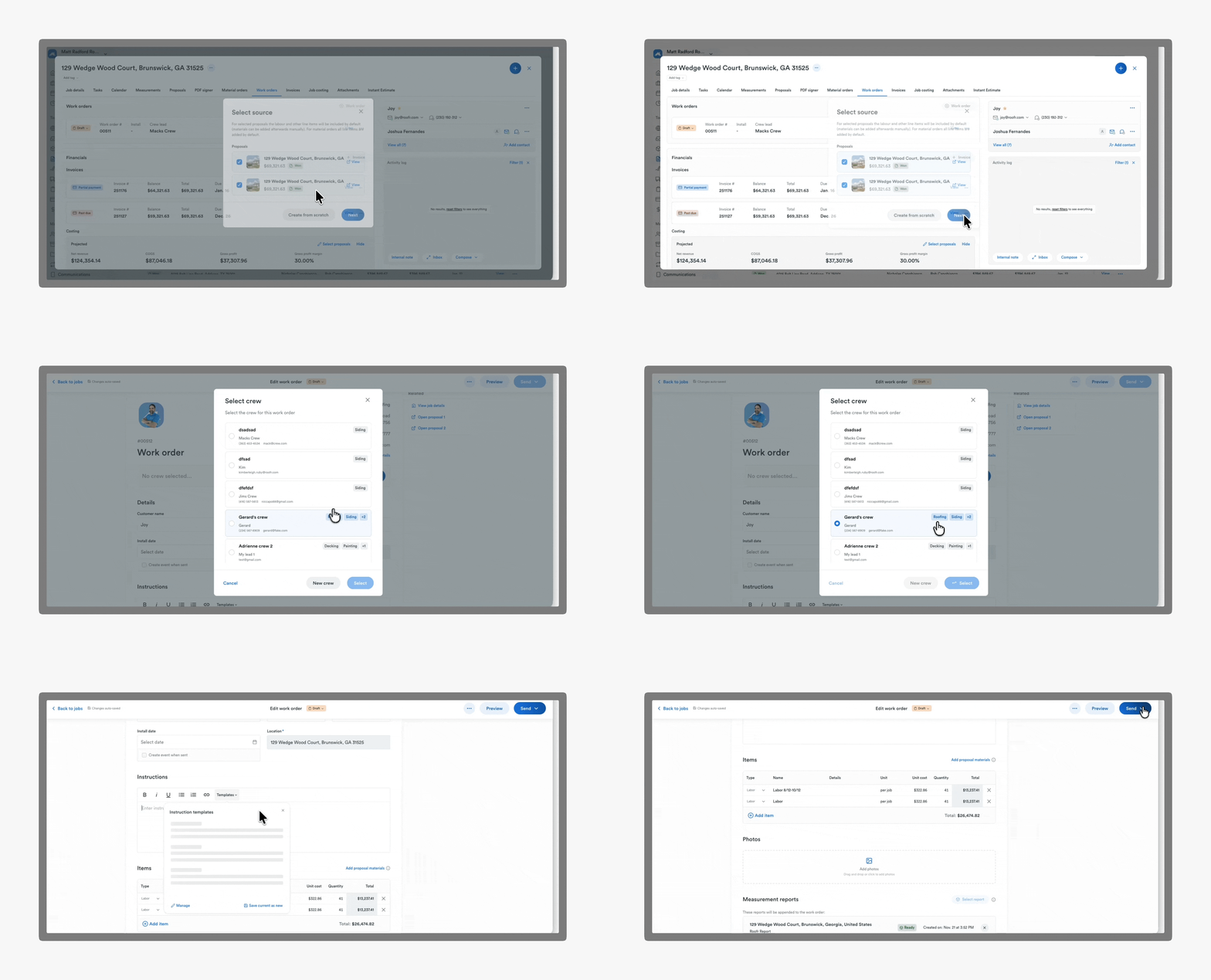
How It Works
Built from existing job data
Create a work order from one or multiple proposals or material orders. Items marked as labor or other automatically populate the work order.
Standardized instructions
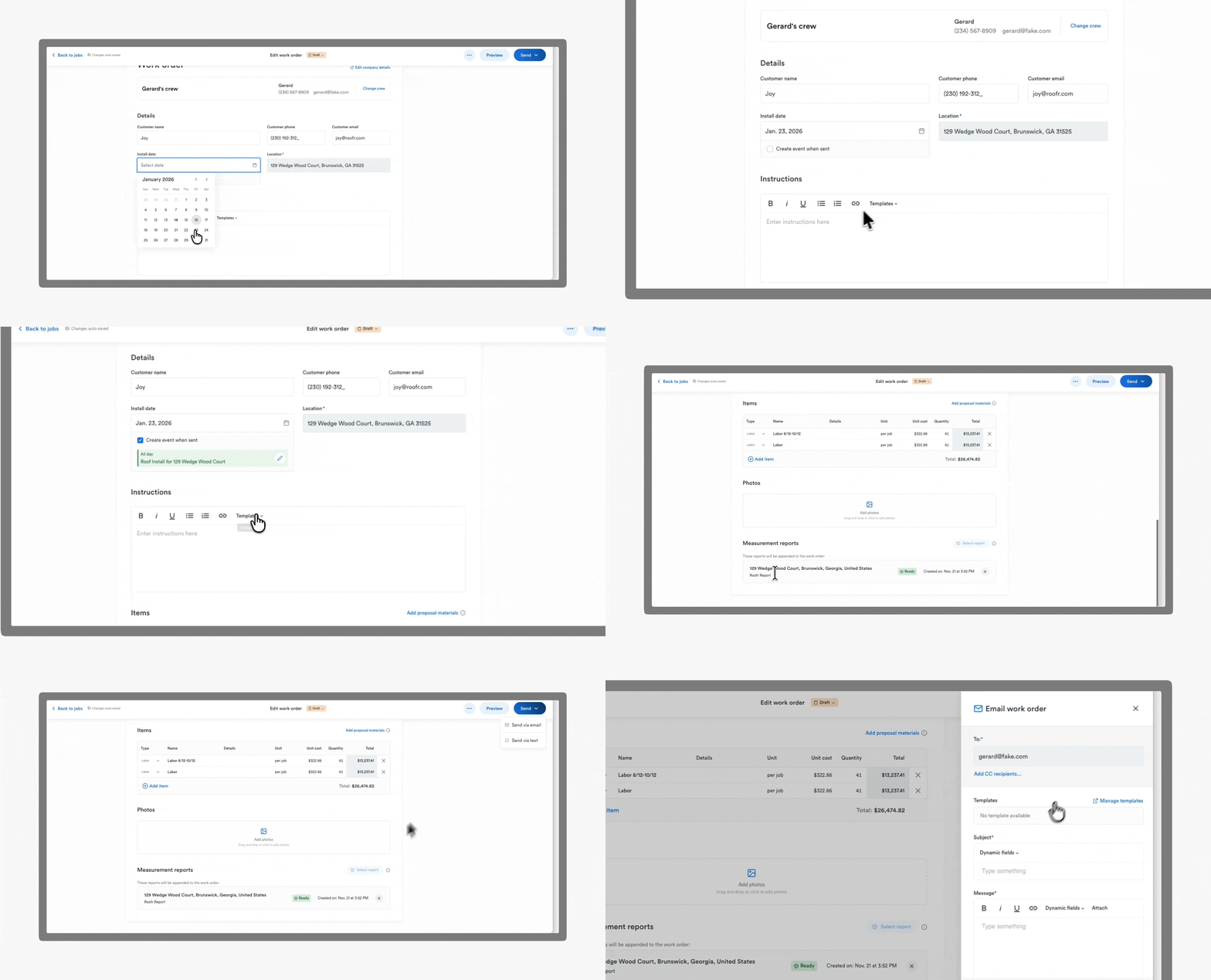
Use work order templates to send consistent instructions across jobs. Create once, reuse anytime.
Complete job context
Attach photos, measurement reports, and materials directly from the job card or CompanyCam.
Sent how crews actually work
Send work orders via SMS or email. CC additional contacts to keep everyone aligned.
Tracked, not forgotten
See when work orders are sent in the job activity log. Optional calendar events include crew details automatically.
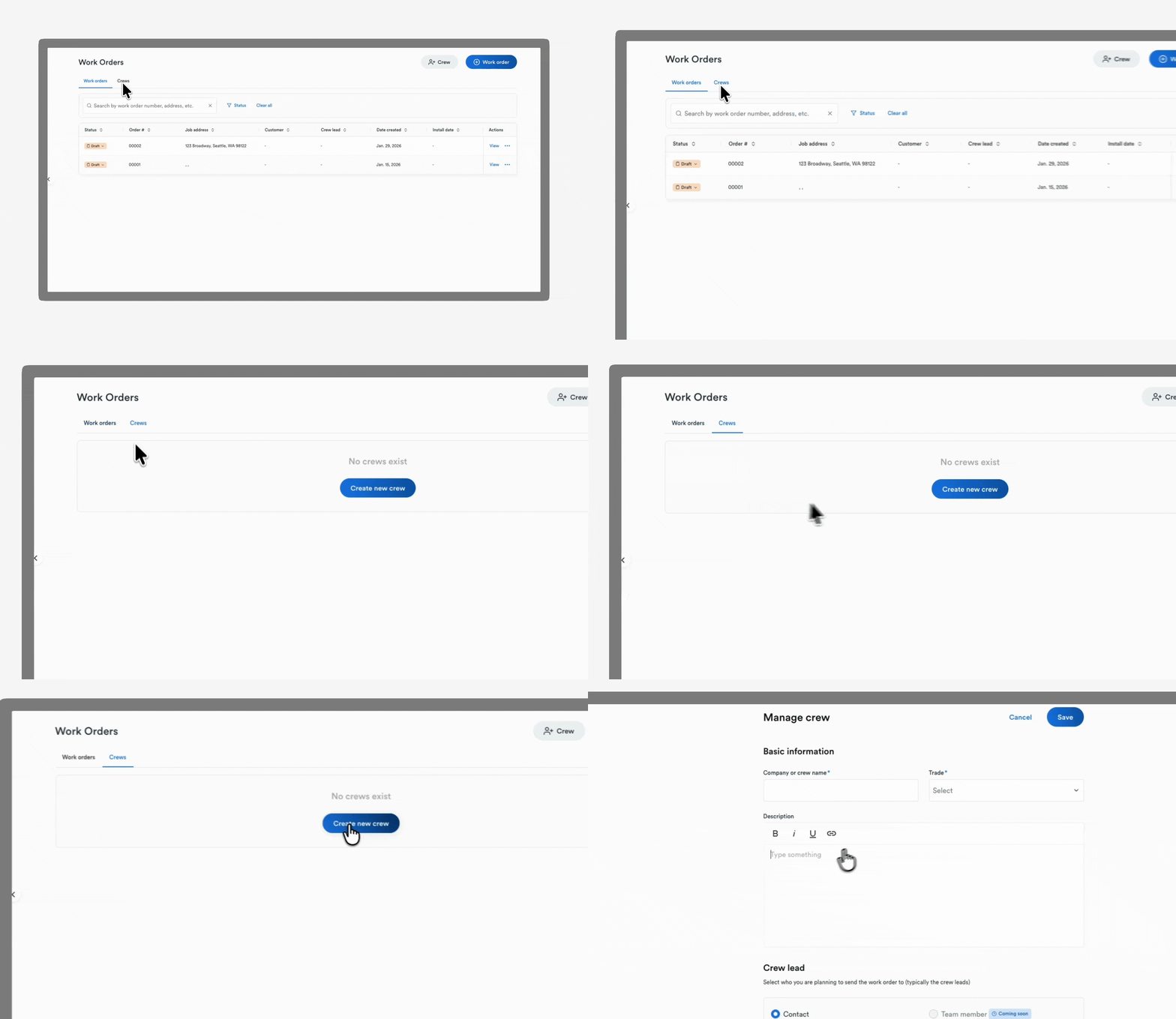
Also new: Crews
(available for some subscribers)
Crew details shouldn’t live in text threads or random notes.
You can now manage all crews directly in Roofr, including:
- Contact information
- Crew leads
- Trades and certifications
- Certification expiry tracking
Text crews directly from Roofr and keep communication tied to the job.
Why it matters
- ⚡ Move faster without rework
- Build work orders from existing proposals in seconds.
- 📋 Reduce install-day mistakes
- Templates ensure nothing gets missed or miscommunicated.
- 👷 Keep crew info organized
- Contacts and certifications live in one system, not scattered tools.
- 💬 Communicate clearly
- Send work orders by text or email with a full record on the job.
Who it’s for
- Project managers coordinating subcontractor crews
- Admin teams tracking schedules and assignments
- Crew leads who need clear, complete instructions
- Owners who want visibility without micromanaging
Use Cases
- Send install instructions directly from an approved proposal
- Assign a crew and attaching measurement reports before install day
- Text a complete work order instead of sending multiple follow-ups
Get started
Work Orders and crews are live in Roofr.
Create a work order from any job and send your crew everything they need—clearly, consistently, and in one place.
👉 Need help? Visit the Help Center to learn more.